Correcting Addresses in Allocator
Use this process to correct address exceptions after an Allocator file has been processed.
Address corrections can help improve allocation results when a policy address is incomplete, includes a PO Box or Rural Route, does not return a good match, or appears on a report that needs review.
When to Correct an Address
Review address exceptions before approving the allocation job.
You may need to correct an address when a record appears on one of the following reports:
- Match Exceptions
- Non-Taxable
- Allocation Detail
Common reasons an address may need correction include:
- The address includes a PO Box, Rural Route, or other non-physical address.
- The address is incomplete.
- The address did not return a good match.
- The matched address is blank or does not look correct.
- The policy appears on the Non-Taxable report unexpectedly.
- The address appears to be assigned to the wrong jurisdiction.
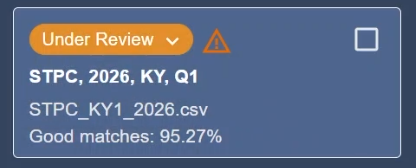
Change the Job Status to Under Review
Before making address corrections, change the job status to Under Review.
Address fields cannot be edited until the job is in Under Review status.
Open a Report That Allows Address Corrections
Address corrections can be made from reports that allow editable address fields.
Open one of the following reports:
- Match Exceptions
- Non-Taxable
- Allocation Detail
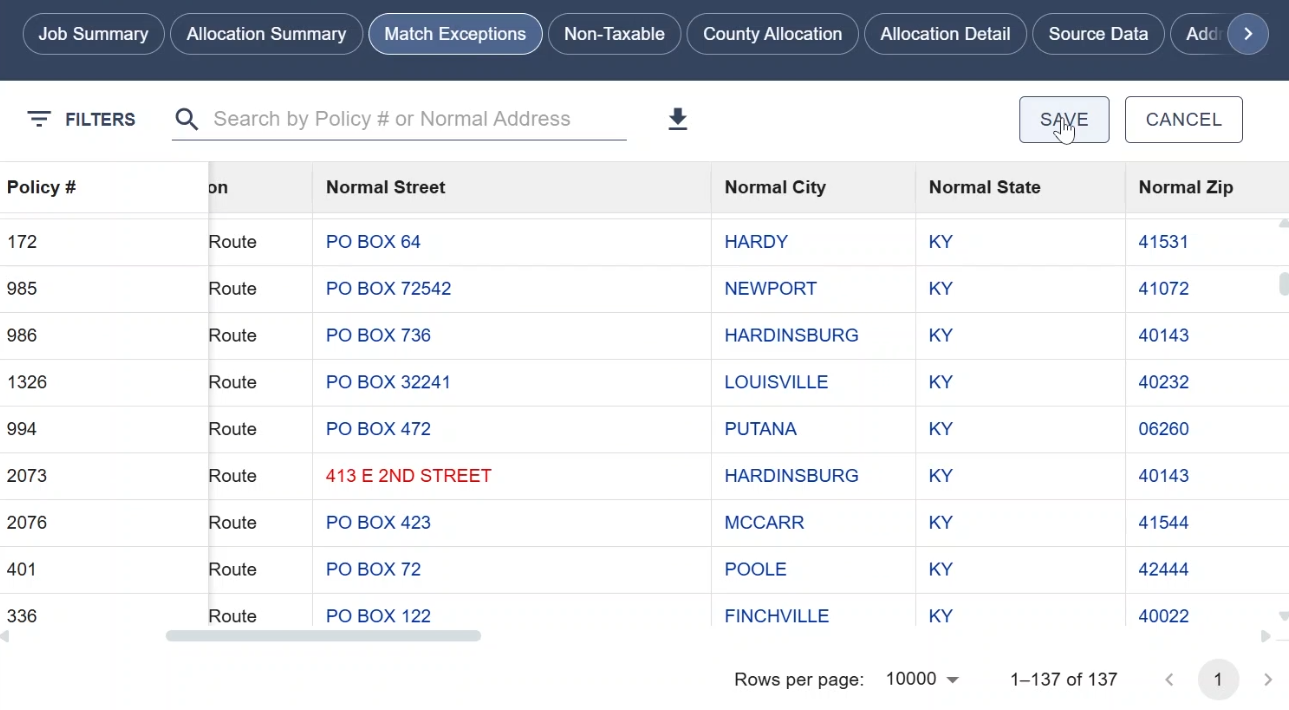
Edit the Address
Editable address fields appear as blue text.
Click the address field that needs to be corrected and enter the updated address information.
After a value is changed, the edited text appears in red. This indicates that the address has been changed but not yet saved.
Save the Correction
After editing the address, save the correction.
Allocator displays a message confirming that the address change may reallocate the policy.
Confirm the change to continue.
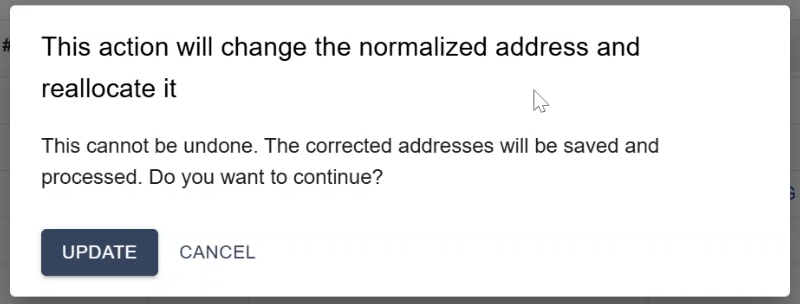
After the correction is saved, Allocator reallocates the policy using the updated address information.
Review the Corrected Result
After saving the correction, review the record again.
The policy may move to a different report or update with a new matched address, jurisdiction, county, or allocation result.
For example, a policy may be removed from the Match Exceptions report if the corrected address returns a good match.
Force Allocate a Policy to the Source City
If the source city is correct but the address does not return a suitable match, use Allocate to Source City to perform a force allocation. This option allocates the policy's premiums to the source city and is available from the Match Exceptions report.
1. Open the Match Exceptions report.
2. Right-click the record.
3. Select Allocate to Source City.

4. Review the address displayed in the confirmation window.
5. Click Allocate to continue. Click Cancel to return without making a change.
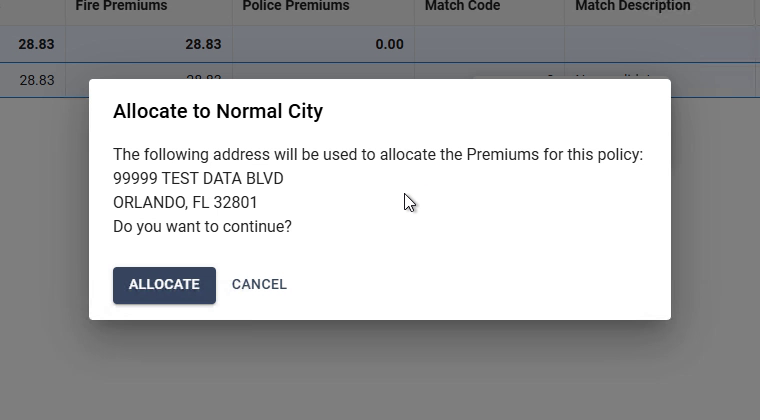
After the allocation, the record is removed from the Match Exceptions report. A confirmation message appears, and the allocation is recorded in the Activity report.
Delete a record: If a record should not be included in the job, right-click the record and select Delete record.
Review the Address Corrections Report
After making address corrections, open the Address Corrections report.
The Address Corrections report shows a record of address changes made during review.
Use this report to confirm:
- Which policy was changed
- The original source address
- The corrected address
- Who made the correction
- When the correction was made

Continue Reviewing the Job
Continue reviewing the reports until all needed corrections are complete.
If additional address exceptions remain, correct those records before approving the job.
If no additional corrections are needed, approve the allocation job.
Next Step
After correcting addresses and reviewing the Address Corrections report, approve the allocation job.
Related Articles
- Allocator Reports
- Match Exceptions Report
- Non-Taxable Report
- Review the Warning Log
- Approve an Allocation Job
- Download Allocator Reports and Export Files
- How do I process an Allocator file?
